

Modern Terminal for Windows Developers
Overview
Windows Terminal Preview is a free command-line interface (CLI) tool developed by Microsoft Corporation for Windows 10 and Windows 11. Designed to modernize the traditional command-line experience, it serves as a powerful utility for users who rely on terminal-based workflows. The software enables efficient execution of commands for tasks such as file management, system configuration, database operations, and project development. It is particularly beneficial for developers, system administrators, and advanced users who require quick access to tools like PowerShell, CMD, Bash, WSL, SSH, and Git.
The terminal is built to enhance productivity by consolidating multiple command-line environments into a single, unified interface. This allows users to switch between different shells seamlessly, reducing context switching and improving workflow continuity. Real-world usage scenarios include automating repetitive tasks, managing remote servers via SSH, running version control commands with Git, and developing software projects using CLI tools.
As a preview version, it represents an ongoing evolution of Microsoft’s commitment to improving the developer experience on Windows. The developer did not provide additional details about the company’s background beyond its association with Microsoft Corporation. Platform compatibility is confirmed for Windows 10 and Windows 11.
Key Features & Capabilities
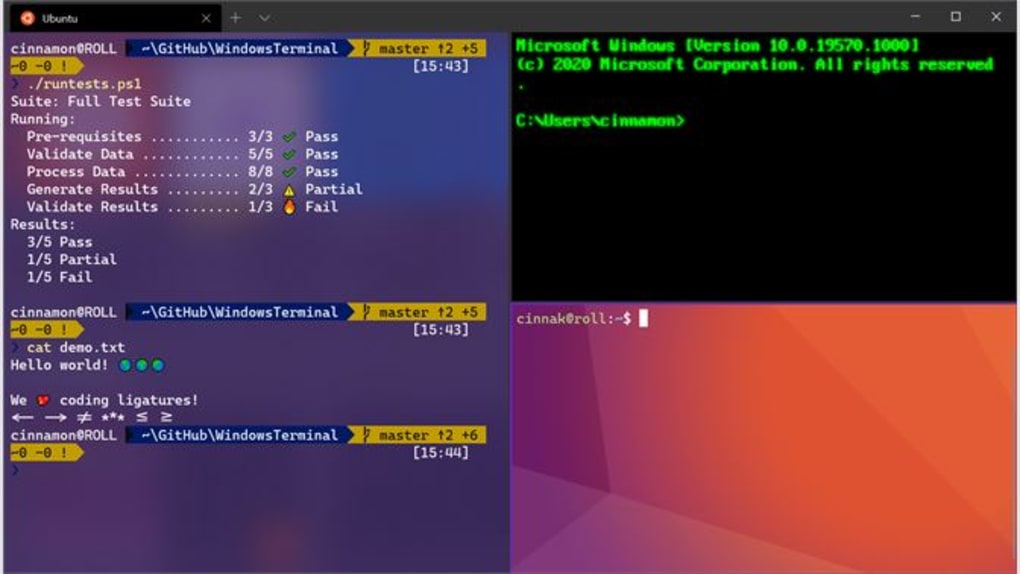
- Multi-tabbed Interface – Users can open multiple tabs within a single window, each running a different shell such as PowerShell, CMD, Bash, or WSL. This enables simultaneous access to various command-line environments without launching separate applications.
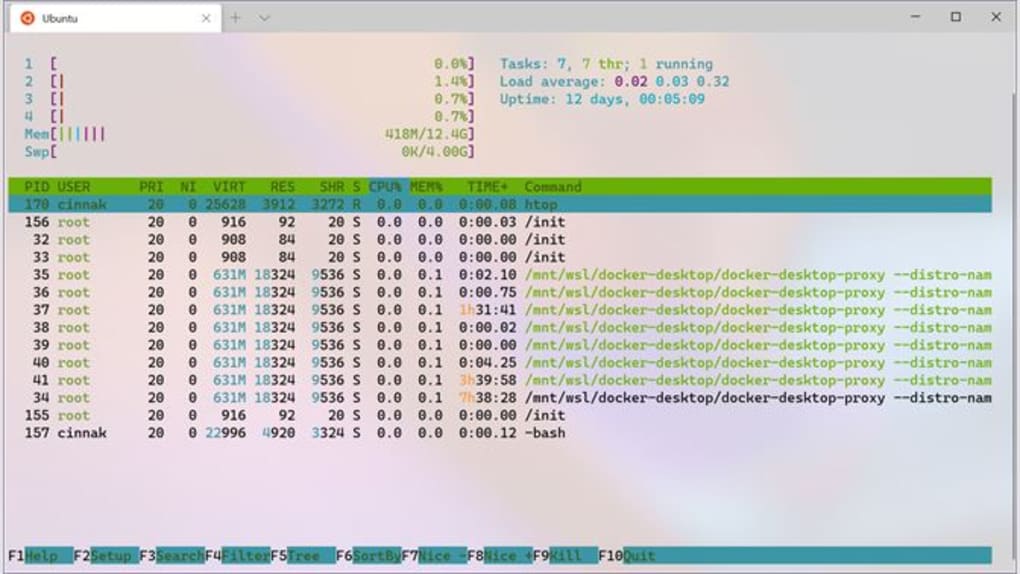
- Customizable Appearance – The interface supports themes, color schemes, transparency, and font settings, allowing users to tailor the visual experience to their preferences and reduce eye strain during extended sessions.
- Integrated Shell Support – Native compatibility with PowerShell, CMD, Bash, WSL, and SSH provides a unified platform for executing commands across different operating systems and development environments.
- Text and Window Customization – Users can adjust font size, window size, and layout behavior to optimize readability and workspace efficiency.
- Efficient Command History and Search – Built-in search functionality and persistent command history help users quickly locate and re-execute previous commands, improving workflow speed.
These features are especially useful in development workflows where rapid iteration and access to multiple tools are essential. For example, a developer can run a Git command in one tab, test a script in another, and connect to a remote server via SSH—all within the same window. This consolidation reduces clutter and enhances focus, making it a practical tool for both daily use and complex project management.
User Interface, Workflow & Performance
The user interface of Windows Terminal Preview is clean, modern, and designed with productivity in mind. Navigation is intuitive, with a tab bar at the top and a context menu accessible via right-click. The layout supports split panes, allowing users to run multiple commands side by side within a single tab.
Workflow efficiency is enhanced by the ability to quickly switch between shells, customize key bindings, and use drag-and-drop functionality for file paths. The interface responds promptly to user input, and the developer did not specify resource usage details. Performance observations are based on general software behavior patterns, indicating stable operation under typical workloads.
Stability appears consistent across standard use cases, with no reported issues related to crashes or freezes in publicly available documentation. The software maintains responsiveness even when multiple tabs and shells are active. CPU and RAM behavior are not specified, but the application’s lightweight nature suggests minimal impact on system performance.
Compatibility & System Requirements
Windows Terminal Preview is designed for Windows 10 and Windows 11 operating systems. The software version is 1.24.10000.0, and the installation size is 25.4 MB. This indicates a lightweight footprint, suitable for systems with modest storage capacity.
Exact system requirements were not listed. However, the application is compatible with devices that support the latest Windows updates and meet standard requirements for running modern desktop applications. Hardware requirements are not specified, but the software is expected to function on typical consumer-grade systems.
Platform compatibility information is limited to the operating systems explicitly mentioned. No support for macOS or Linux is indicated. The software is distributed as a standalone desktop application, compatible with both 64-bit and 32-bit versions of the supported Windows platforms.
Pros and Cons
Pros
- Free to download and use
- Supports multiple shells in a single interface
- Highly customizable appearance and behavior
- Lightweight installation size (25.4 MB)
- Modern, responsive UI with tabbed navigation
Cons
- Preview version may include experimental features
- No official support for macOS or Linux
- Advanced customization may require manual configuration
- Resource usage details not publicly disclosed
FAQ Section
Is Windows Terminal Preview available for Windows 10 and Windows 11?
Yes, Windows Terminal Preview is officially supported on Windows 10 and Windows 11 operating systems.
Is the software free to use?
Yes, Windows Terminal Preview is completely free to download and use, with no trial period or paid features.
Can I use Windows Terminal Preview offline?
Yes, the application functions fully offline once installed. It does not require an internet connection to run commands or manage local files.
How often are updates released?
Updates are released regularly as part of the preview cycle. The current version is 1.24.10000.0, and users are encouraged to keep the software updated for the latest features and improvements.
What types of shells are supported?
Windows Terminal Preview supports PowerShell, CMD, Bash, WSL, SSH, and other command-line tools commonly used in development and system administration.
Final Thoughts
Windows Terminal Preview delivers a modern, efficient, and customizable command-line experience tailored for developers and power users on Windows. Its ability to unify multiple shells in a single, visually appealing interface significantly improves workflow efficiency and reduces application clutter. The free pricing model, lightweight size, and active development make it a compelling choice for anyone relying on CLI tools.
While it is a preview version, the software demonstrates stability and performance that meet the expectations of professional users. It is particularly well-suited for developers working with Git, WSL, SSH, and automation scripts. For those seeking a reliable, feature-rich terminal emulator on Windows, this tool stands out as a top-tier option.
Download Windows Terminal Preview now







